Notion workspaces for teams where things actually get done
I build Notion workspaces where tasks, clients, projects, and knowledge live in one system — and your team runs smoothly without you holding it all together.
If any of this sounds familiar — you're in the right place
What you'll have when we're done
Everything in one place
Tasks, docs, clients, projects — all in one workspace. No more "where do I find that?" in Slack.
A team that runs itself
Everyone sees their tasks, deadlines, and what they own. You stop being the bottleneck.
Full visibility into your business
Clear processes, real metrics, and a system that grows with you instead of breaking under the weight.
How we can work together
Pick the format that matches what you need right now.
Notion
Consultation
- A deep look at your situation and current setup
- A concrete action plan with clear next steps
- Hands-on Notion training tailored to your workflow
- Answers to anything you've been wondering about
- A full week of email support after the call
Custom Notion workspace
- Process audit and a clear scope you'll actually understand
- Workspace architecture and database design
- Core modules: tasks, projects, knowledge base, CRM, HR, team spaces
- Clean visual design and easy navigation
- Automations and integrations with your other tools
- Team training and written guides for everything
- A full month of support after launch
Ongoing partnership
- Continuous improvements to your existing workspace
- New modules and databases as your processes evolve
- Setting up automations and AI agents
- Onboarding new hires into the system
- Quarterly audits and optimization
- Regular strategy calls with you as the leader
What I can help you with
These are the things teams ask for most often. You can pick one — or combine them all into one connected system.
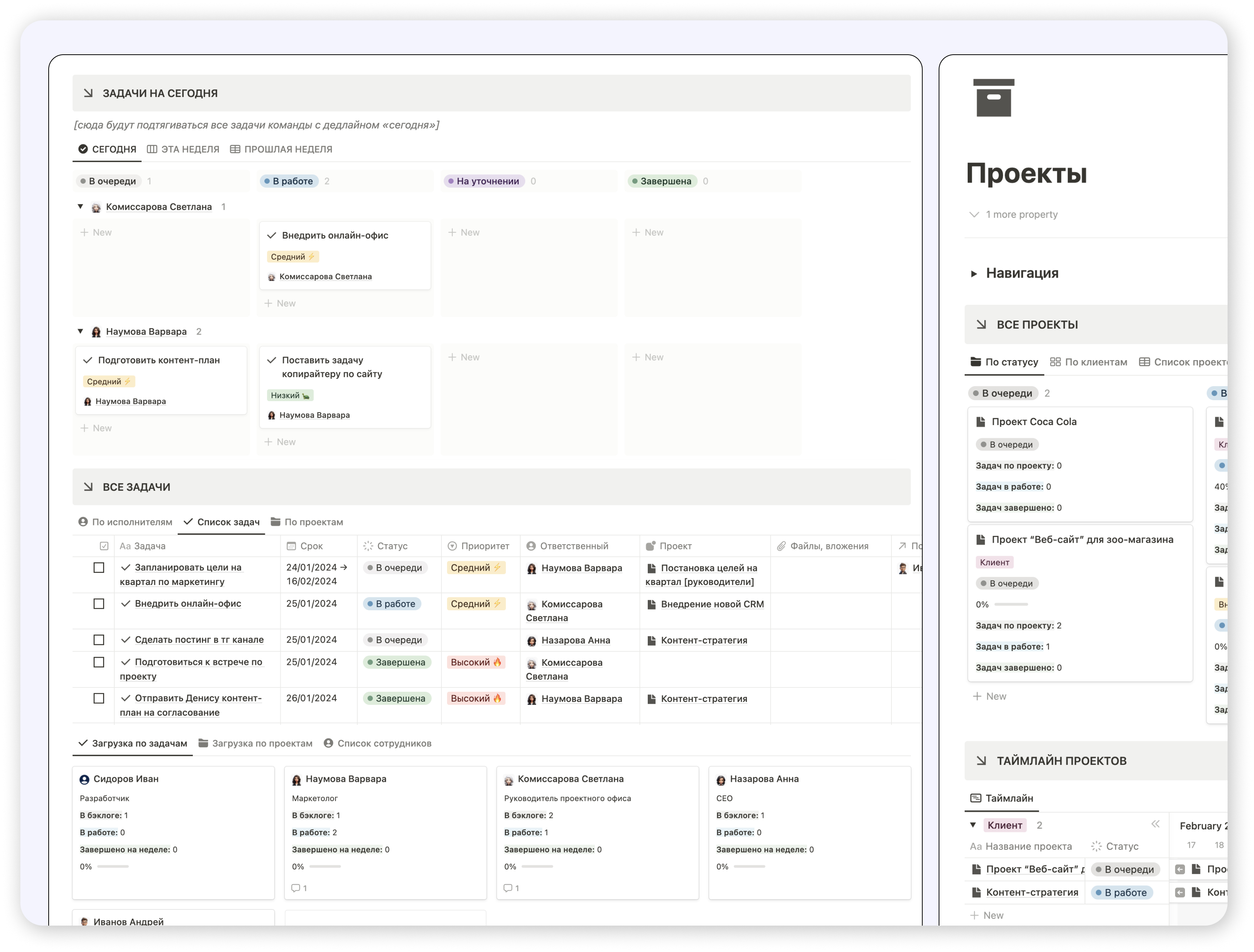
Tasks & projects
A task and project tracker your team will actually use — so people stop asking "what should I be working on?" and "where is this project at?"
- One connected system where tasks and projects link to each other
- Clear deadlines, priorities, and owners on every task
- Each person sees their week and their day at a glance — automatically
- Project status visible in full and step by step
- Honest stats on progress, throughput, and where things stall
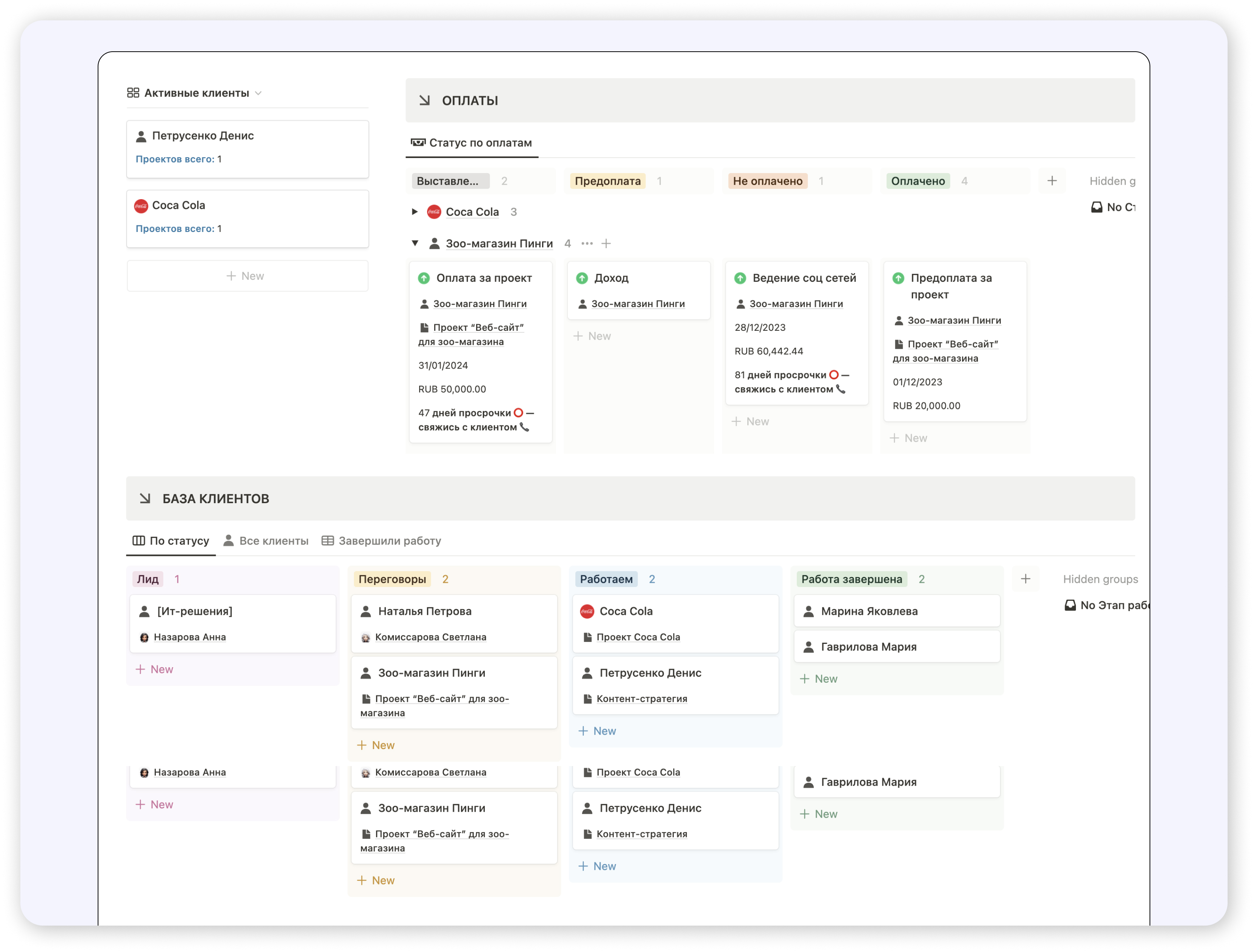
A CRM that fits your business
All your clients, deals, and conversations in one place — so you always know where each relationship stands and what's next.
- Client cards with full meeting and communication history
- Connected to your email and calendar
- Tracking partners and contractors in the same system
- Reminders so no one slips through the cracks
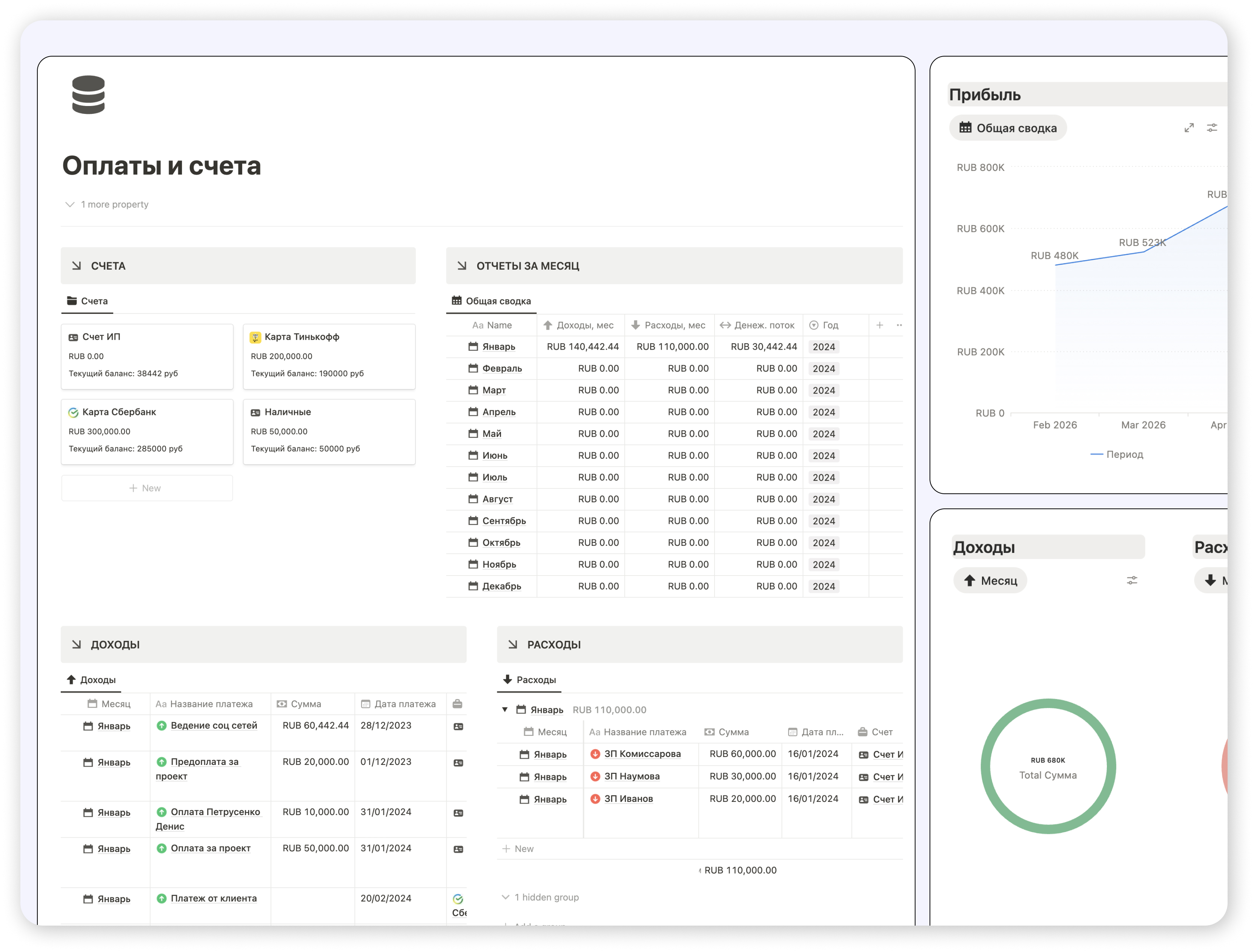
A sales system that works
Pipeline, leads, follow-ups, and targets — all on one screen. No more juggling deals in your head or across ten different sheets.
- Leads and deals moving through clear stages
- Tasks and conversations linked to every client
- Automatic reminders for next steps and follow-ups
- A dashboard with key metrics and progress toward your goals
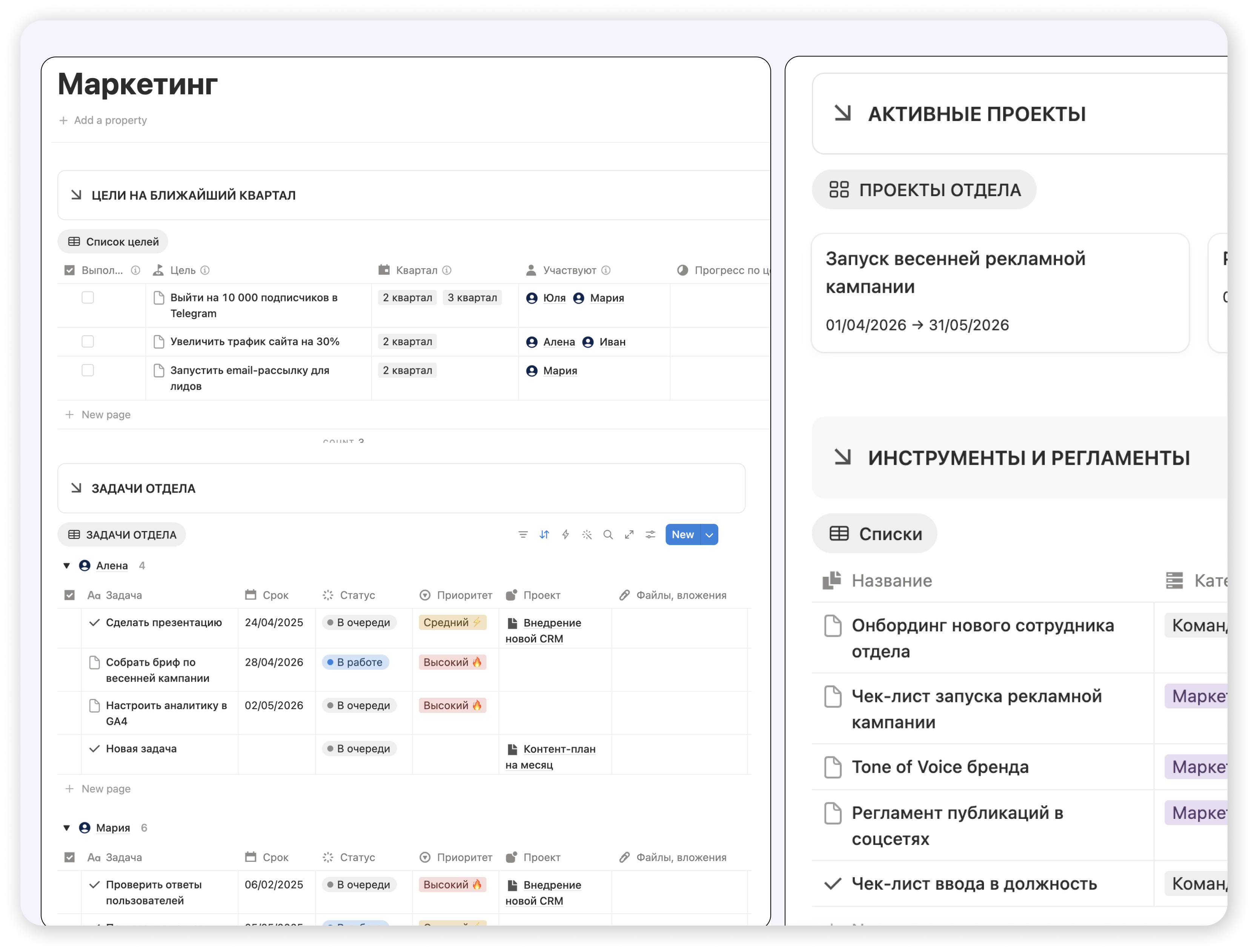
Spaces for every team
Separate areas for departments, projects, and external partners — each with the right access and zero confusion about who can see what.
- Dedicated spaces by role and department
- Granular permissions and security settings
- All of a team's tasks, docs, and projects under one roof
- Limited-access areas for contractors and partners
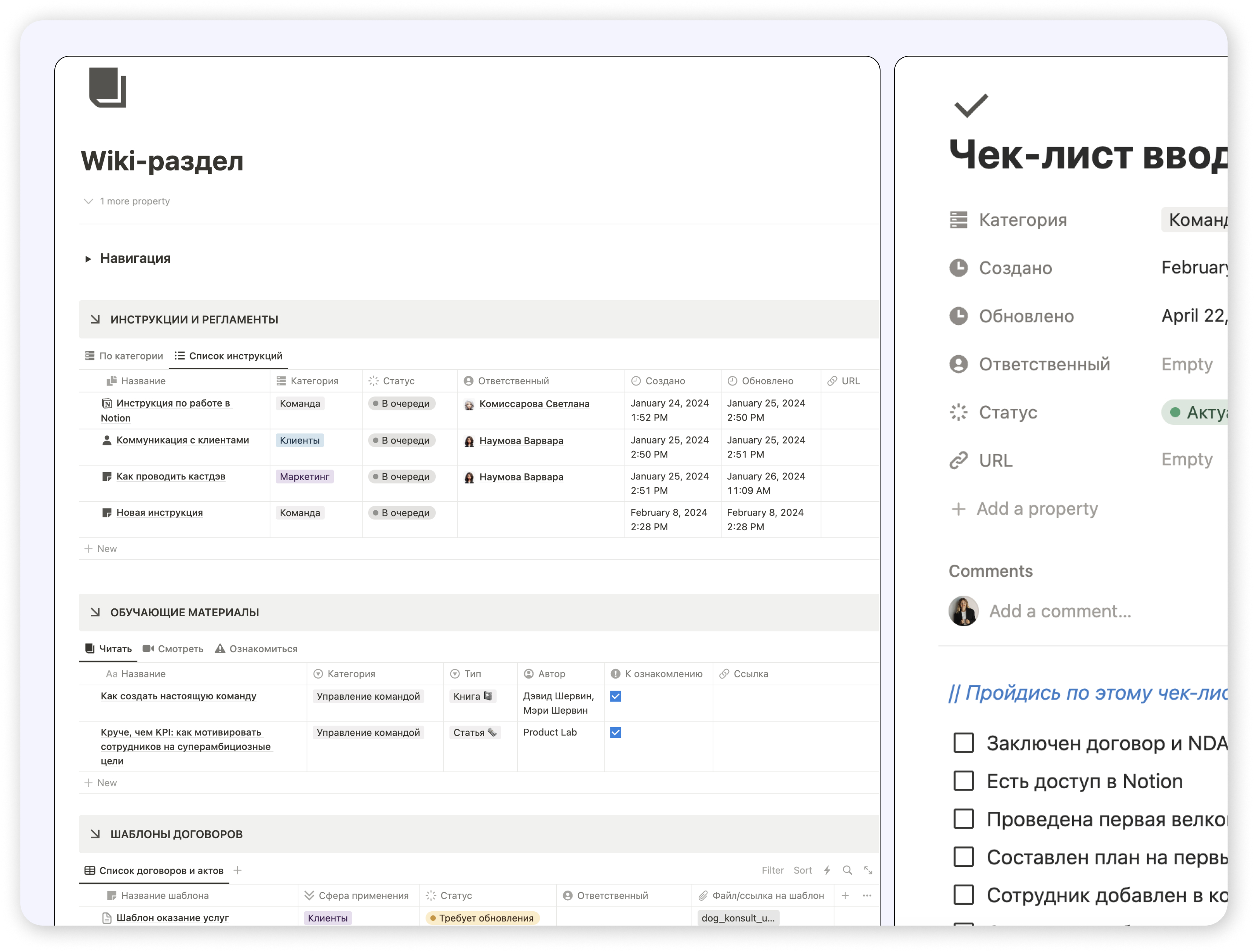
A knowledge base people actually use
Guides, processes, and templates in one place — designed to be opened and used, not just filed away and forgotten.
- A wiki built for onboarding and training
- Storage for documents, templates, and SOPs
- Fast search and navigation that makes sense
- A living system, not a forgotten archive
Your tools, working as one system
I'll wire your services together so data flows on its own — no manual copy-paste, no duplicates, no "can someone move this over?"
Website leads → CRM
Every new lead from your site lands in the pipeline with the right tags and a task assigned to the right person.
Tasks from Slack & Telegram
Turn any chat message into a Notion task with one click. Nothing important gets buried in the conversation.
Live sync with Google Sheets
Finance data and reports stay in sync both ways — no manual exports, no stale numbers.
Notifications that matter
Alerts about new tasks, deadlines, and status changes — straight to Slack, Telegram, or email.
Connections inside Notion
Tasks, projects, clients, and team members all link together — one connected system instead of disconnected lists.
Calendar & meetings
Meetings created automatically, follow-up tasks generated, action items captured in one place.
Want to bring AI into your team?
I'll do a free audit and show you exactly where Notion AI agents can save your team hours every week — and where they won't.
Reporting agent
Pulls a weekly or monthly summary: what got done, key metrics, where things slowed down. Open Notion Monday morning, see your business at a glance.
Meeting agent
Turns meeting notes into tasks, assigns owners, sets deadlines. No more action items dying in someone's notebook.
Onboarding buddy
Answers new hires' questions about your processes and tools using your knowledge base. Saves time for everyone — including you.
Content agent
Drafts ideas and post copy for Instagram, LinkedIn, and Twitter — based on your voice and existing content.
Task agent
Turns Slack and Telegram messages into proper Notion tasks — already tagged and assigned to the right person.
Marketing assistant
Tracks competitors, market shifts, and trends — pulls everything from the web and drops it neatly into your knowledge base.
Who I've worked with
HR agencies, startups, real estate firms, marketing teams — different industries, same problem: turn chaos into a system that runs.
GB HR Agency
- Built one shared workspace for the whole team
- Set up hiring pipelines, client management, and internal task flows
- Added a knowledge base with process docs and SOPs
You literally turned our chaos into a system that just works. Now everyone knows where to find what they need and what's actually a priority. So much busywork is gone — it's saving us real time and energy.
Petville
- 10 connected databases: projects, tasks, OKRs, roadmap, clients, meetings
- Automatic project progress tracking
- Plan-vs-actual budgeting and task cost control
- A homepage with task widgets and a team calendar
Ola Estate
- Task tracker and shared workspace for the whole team
- Databases for clients and properties
- One synced calendar for all meetings and viewings
Process management
- Built a clean task and project system
- Defined clear ownership across roles
- Set up performance and efficiency tracking

Hi, I'm Maria
I'm a Notion Architect with 10+ years of experience leading projects and teams at large companies. I help teams and agencies build workspaces where things don't get lost in chats, spreadsheets, and forgotten tabs. Based in Lisbon, working with teams all over the world.
How I approach the work
- 01Process first, Notion second I don't fit your team into a template. I build the workspace around how you actually work.
- 02I see things from both sides From the founder's view and the team's view — so I know exactly where systems usually break.
- 03No "pretty Notion" for the sake of it Every module has to earn its place by saving time or making something easier.
- 04I train your team to keep it alive So the workspace keeps working long after handoff — instead of becoming a forgotten archive.
- 05I stay around after launch Helping you adapt the system as the business shifts and grows.
Let's get to know each other
Book a free intro call — we'll look at your processes and figure out which format makes sense for your team.
- 1The diagnosis
We look at your current workflows and tools — where time leaks out, where work gets duplicated.
- 2The options
I'll show you how this could come together in Notion — and which working format fits you best.
- 3A clear plan
You'll walk away with concrete next steps you can act on — even if we don't end up working together.
30–45 minutes, zero pressure
Nothing to prepare in advance — just bring your questions. By the end you'll have a real plan in hand.
- Online via Zoom or Google Meet
- No sales pitch, no pressure
- Concrete recommendations at the end
Common questions
The things people usually want to know before we start working together.
We don't use Notion yet. Is it the right tool for us?
We already use Trello / Asana / Monday. Should we switch?
How long does building a workspace take?
Will my team actually adopt the new system?
What if we need changes after the project is done?
What does the free intro call look like?
Can you set up AI agents for our team?
What can be integrated with Notion?
Let's turn your chaos into a system
30–45 minutes, free. We'll look at your processes and find the right format — and even if we don't work together, you'll leave with a concrete plan.
Book the call →